PizzaBoy System Requirements
Confirm Windows or Linux readiness before you install the demo or full game.
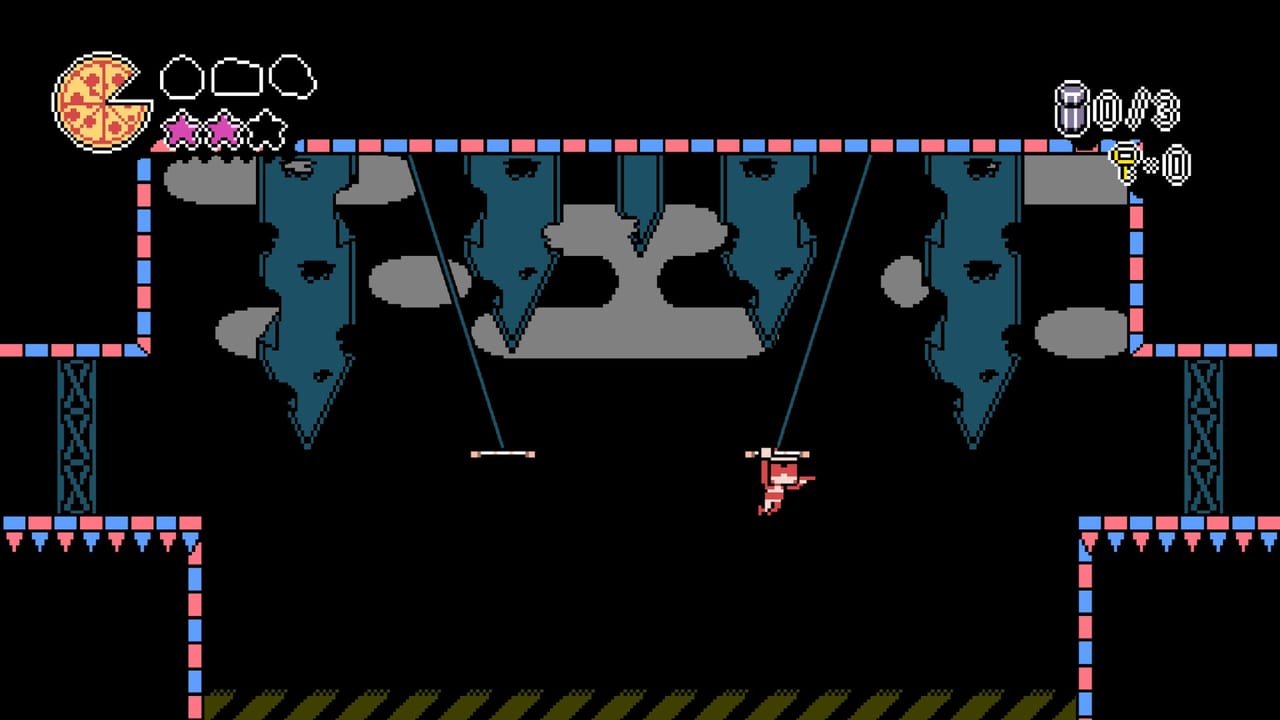
PizzaBoy is a precision platformer Metroidvania from Breadless, planned for Steam on August 14, 2026 (app 2238400). Before you install the demo (Steam app 3309890 or itch.io) or prepare a launch-day PC, use this page as the practical specs sheet. Steam currently lists English as the supported store language, single-player only, and full controller support on Windows and Linux. Nothing here replaces the store page after a patch, but it mirrors the published minimum and recommended tables so you can plan hardware, displays, and input devices for snappy air-dash play.
Windows requirements (Steam)
Steam’s Windows minimum and recommended blocks currently match each other on the public store listing:
- Requires a 64-bit processor and operating system
- OS: Windows 10 or newer
- Processor: i5 or better (Steam wording: i5+)
- Memory: 4 GB RAM
- Graphics: Intel HD Graphics 5500 class
- Storage: 500 MB available space
That footprint is small compared with modern open-world titles. The harder constraint for PizzaBoy is not VRAM—it is consistent frame pacing so dash, jump, and dash-recharge inputs feel fair. If your laptop meets the GPU line but thermal-throttles, close background browsers, plug in power, and avoid aggressive battery savers during tough platform chains. For more on how those inputs work in practice, read Air Dash Movement after you install.
SteamOS and Linux requirements
Steam also lists SteamOS + Linux with matching minimum and recommended guidance:
- OS: Ubuntu (Steam listing)
- Processor: i5+
- Memory: 4 GB RAM
- Graphics: Intel HD Graphics 5500 class
- Storage: 500 MB available space
Linux players should still verify Proton or native build notes on the Steam discussion hub after each demo update. Keep Demo Changelog nearby when a patch mentions input or display fixes. If you dual-boot, install the demo on the OS you actually play on; cloud saves and controller mappings do not always behave identically across Windows and Linux sessions.
Demo versus full game installs
The demo is the best pre-release test of your machine. Install Steam demo 3309890 or the itch build, then run a short route that includes wall bounces, dash recharge on S / Down (or the controller equivalent), and at least one monster-dense hallway where pizza theft is a risk. If the demo feels stable at your target resolution, the full game’s 500 MB-class install is unlikely to be the bottleneck—your skill at Protect Pizza Delivery will matter more.
Wishlist and release timing live on Release Date. After August 14, 2026, re-check Steam app 2238400 if Breadless adjusts the requirements table; indie patches sometimes raise storage slightly when audio or art packs grow.
Display, refresh rate, and accessibility of feel
Precision platformers reward stable refresh and low input lag. Prefer a wired connection when possible, disable mouse acceleration overlays that steal focus, and keep exclusive fullscreen if borderless introduces hitching on your GPU. PizzaBoy is not a 4K showcase title; prioritize clarity of platforms and monster silhouettes over maximum resolution. If you struggle with specific rooms after launch, pair this page with Tough Sections rather than blaming hardware first.
Keyboard and controller readiness
Keyboard defaults from the project’s control sheet:
- MOVE: WASD or Arrow keys
- JUMP: L / Z / Space
- DASH: K / X / Shift
- RECHARGE DASH: S / Down
- INTERACT: W / Up
Steam advertises full controller support. Before a long session, confirm your pad is recognized in Big Picture or the in-game prompt, test dash and recharge on the same stick or face-button layout you will keep, and avoid sharing the recharge direction with an accidental menu binding. New players should follow Getting Started and How to Play the Demo once input feels solid.
What you do not need
You do not need a fighting-game hitbox stick, a high-end ray-tracing GPU, or online multiplayer bandwidth. PizzaBoy is single-player delivery fantasy: reach the customer with as much pizza intact as possible, explore Metroidvania side paths for memories and company secrets, and chase multiple endings. Combat loadouts are irrelevant—monsters steal pizza; you cannot fight them. Plan storage for a small adventure install, not a live-service client.
Related wiki pages
- PizzaBoy Tools Hub for endings and collectible trackers
- Ending Checklist once chapters branch
- Collectibles Checklist for exploration sweeps
- Exploration Priority and Delivery Star Tips for route goals
- PizzaBoy Characters Hub and Story Lore for Pizza Dawg’s Pizza context
- Wiki for the site map
Quick pre-flight checklist
- Confirm 64-bit Windows 10+ or a supported Linux/Ubuntu setup with roughly 4 GB free RAM for the game plus OS overhead.
- Verify about 500 MB free disk space for the demo or full game, plus Steam client overhead.
- Plug in a controller or rehearse keyboard dash and recharge until both are muscle memory.
- Launch the demo, complete the tutorial-adjacent rooms, and note any hitching before launch day.
- Bookmark Guides Hub and this Tools page so specs and strategy stay one click apart.
If your PC clears this sheet, spend your remaining prep time on movement and pizza protection—not on shopping for new hardware. PizzaBoy’s challenge is precision and route choice inside Pizza Dawg’s monster-delivery promotion, not shader settings.
Frequently Asked Questions
Quick answers to the most common questions.
What are the PizzaBoy Windows specs?
Steam lists Windows 10+, i5+ CPU guidance, 4 GB RAM, Intel HD Graphics 5500-class GPU, and about 500 MB storage for both minimum and recommended.
Does PizzaBoy run on Linux?
Yes. Steam lists SteamOS + Linux requirements with Ubuntu, i5+, 4 GB RAM, Intel HD 5500-class graphics, and about 500 MB storage.
Is there a demo I can use to test my PC?
Yes. Use Steam demo app 3309890 or the itch.io demo before the August 14, 2026 full release.
Does PizzaBoy support controllers?
Steam lists full controller support. Keyboard defaults cover move, jump, dash, dash recharge, and interact.
Is PizzaBoy multiplayer?
No. It is a single-player precision platformer Metroidvania focused on pizza delivery and exploration.