PizzaBoy Guides Hub
Precision delivery tutorials for the Steam demo and the Aug 14, 2026 launch.
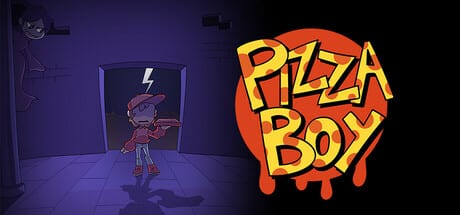
Welcome to the PizzaBoy Guides Hub. This page is the map for every practical tutorial on the wiki: how to start clean on Steam, how to finish the demo with every chapter ending, how to master the air dash, how to keep your pizza intact, and how to dig into Metroidvania secrets without getting lost.
PizzaBoy is a single-player precision platformer from Breadless, planned for Steam on August 14, 2026, with Windows and Linux support. A free demo is already available, so most of these guides are written to help you practice the real move set before launch day. The tone of the game is funny and weird, but the movement is serious: you deliver for Pizza Dawg’s Pizza, you meet characters like VampireGirl and Pepperoni Dog, and you cannot fight your way out of trouble. Monsters steal pizza. Your job is to move better than they do.
Use this hub when you only have a few minutes and need the right page fast. Each guide below is written for English players first, with locale-agnostic internal links so every language build can localize the path later.
Start here if you are new
If you have not installed the demo yet, begin with the PizzaBoy Getting Started Guide. It covers wishlist and demo install habits, the keyboard and controller layout, the no-combat fantasy, and a first-hour checklist that keeps you from treating PizzaBoy like a standard action platformer.
Once the game boots, jump into the PizzaBoy Demo Walkthrough. That page is the only guide on the wiki with a full video walkthrough of demo endings, so it is the best companion when you want to see routes, branch points, and delivery choices in motion.
Movement and survival pages
PizzaBoy’s identity is the air dash. The Air Dash Movement Guide explains jump, dash, recharge, wall bounce timing, and how to turn short hops into long routes. Read it before you blame a hard room on bad level design. Most early frustration is dash stamina mismanagement.
Because PizzaBoy cannot fight, pizza protection is its own skill. The Protect Pizza Delivery Guide teaches spacing, baiting, escape routes, and what happens when a monster tags your order. Pair that page with movement practice and your clear rate jumps immediately.
Exploration, endings, and hard rooms
Every chapter is built like a Metroidvania pocket: main delivery path, optional rooms, collectibles, and story beats that change how the chapter closes. Use the Secrets and Collectibles Guide when you want to leave the obvious road and hunt side paths, memories, and company clues.
If you already cleared a delivery once and wonder why another player’s ending looked different, open the Multiple Endings Guide. It explains the chapter-level choice fantasy: do the bare minimum delivery, or explore until PizzaBoy learns more about Pizza Dawg’s Pizza and himself.
When a single screen is eating your attempts, go to the Tough Sections Guide. It breaks stubborn rooms into readable patterns: hazard rhythm, dash recharge windows, and pizza-safe lines through monster packs.
Recommended reading order
- Controls — keyboard, pad, remapping mindset.
- Getting Started — install and first goals.
- How to Play the Demo — structure plus the verified walkthrough video.
- Demo First Impressions — whether the loop fits you before $9.99.
- Air Dash Movement — core traversal mastery.
- Protect Pizza Delivery — survival without combat.
- Hazard Rooms Tips — pits, spikes, fair retries.
- Secrets and Collectibles — optional routes.
- Multiple Endings — chapter outcome logic.
- Tough Sections — stubborn screens.
The Guides dropdown shows a short list and sends overflow to this hub—use the full order above when you need every page.
What these guides assume
- Single-player only. There is no multiplayer delivery mode.
- Full controller support exists alongside keyboard defaults.
- The storefront language focus is English.
- There are no redeemable codes pages here and no Roblox scripts. PizzaBoy is a Steam precision platformer.
- Demo content can differ from the full August 14, 2026 release. When a tip is demo-specific, the page says so.
How to use the wiki during a run
Keep two tabs open: this hub and the guide for your current stuck point. If you die because you mistimed a wall bounce, do not reread the whole endings page. Open air dash. If you keep arriving with a stolen order, open pizza protection. If you cleared the customer but missed a story beat, open secrets or endings. PizzaBoy rewards intentional practice more than random retries.
When the full game launches, return here for updated route notes. Until then, the demo is the best training ground for the launch build: same fantasy, same company, same pizza pressure, and the same need to move like someone who cannot throw a punch.
Quick links
Frequently Asked Questions
Quick answers to the most common questions.
Which PizzaBoy guide should I read first?
Start with Getting Started for controls and install tips, then How to Play the Demo if you want a full chapter overview with the walkthrough video.
Is PizzaBoy out yet?
The full game is planned for August 14, 2026 on Steam. A free demo is available now for Windows and Linux players who want to practice early.
Does PizzaBoy have combat guides?
No. PizzaBoy cannot fight. Use the Protect Pizza Delivery Guide for avoidance, spacing, and escape routes instead of attack patterns.
Are there redeem codes for PizzaBoy?
No. This wiki does not list fake codes. Focus on movement, delivery, secrets, and endings.
Can I play with a controller?
Yes. PizzaBoy has full controller support. Keyboard defaults are covered in Getting Started and the demo walkthrough page.